
Description
Software to improve video quality with various AI models
Universalmodell
Animation models
Facial optimization
General video support
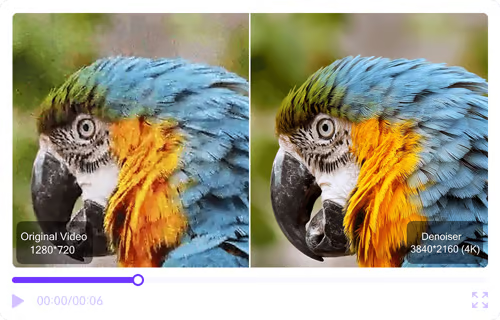
Compatible with all videos, from old movies to your own recordings. Increases resolution, preserves colors and transitions for natural effects.
For all types of video
Detailwiedergabe
High-resolution video
Increased clarity
Universalmodell
Animation models
Facial optimization
High quality animation
Animation-specific algorithms maximize image quality and preserve style, so characters and scenes shine anew!
Models specialized in animation
Remove blur
Restore Classic
Clear screen
Universalmodell
Animation models
Facial optimization
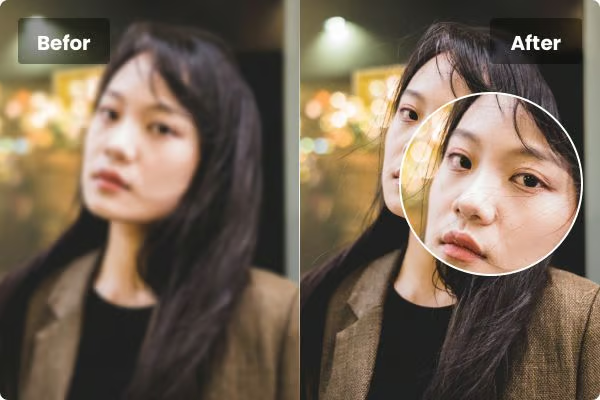
Face-centered, higher resolution
It can sharpen blurry faces in videos, smooth skin, and restore its clarity in seconds.
Optimized facial close-ups
Improve video quality
Facial processing by AI
Sharper smile
Experience AI video quality improvement online
UniFab Video Upscaler AI – Enhance your video resolution in just a few clicks! Experience the powerful AI technology directly online and optimize your video quality in seconds. Click “Try Now Free” to try AI-powered video enhancement for yourself!
Try it now for free
Online test limit: 50 m, up to 60 seconds
If you don’t have a sample video handy, you can try the example on the right
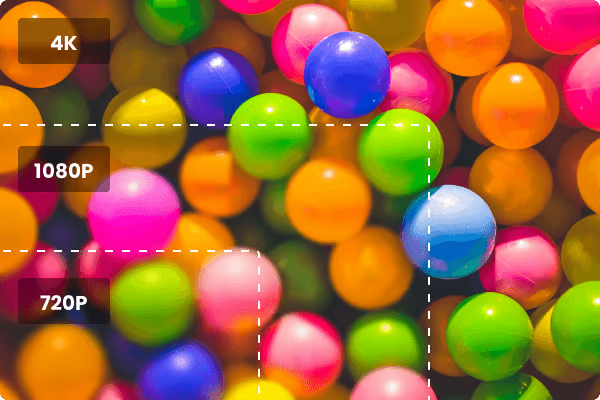
Resolution from 720p to 16K
The AI video quality software improves resolution from 720P to 16K. It reduces mosaics and noise with a unique AI algorithm, ensuring details are clear and sharp on all screens. Ideal for enhanced video quality.
Latest updates from UniFab AI
3.0 UniFab 3.0
2.0 2x faster
1.0 New AI model
Improved AI engine speeds up processing by 20 times
The updated AI engine delivers up to 200% faster conversion speeds on compatible GPUs, significantly accelerating video processing and improving overall efficiency for a smoother workflow.
Improved performance through new AI models.
It unleashes the power of advanced AI technology and offers enhanced video processing capabilities for more accurate and efficient results.
Simpler, faster, better: new interactive experiences
The latest UniFab series features a sleek design, seamless workflow, and AI autopilot for smoother editing. Enjoy enhanced performance with black and white mode options and support for 50 series GPUs.
Choose UniFab Video Upscaler AI
Diverse advantages
Best suited for high resolution
Suitable for both beginners and professionals, UniFab offers a comprehensive and efficient solution for all your video editing needs.
*Note: This test data is from actual testing.
Processing rate
Treatment effect
Supported formats
Further advantages.
Join the UniFab community and comment
Mike Johnson comments after the shaky video was corrected:
Function: UniFab Denoise AI
Before: Resolution 1280×724
After: stable images, comfortable viewing
About the video: While recording this video, my hands accidentally shook and my face was a little blurry, but UniFab was able to fix this.


Reviews
There are no reviews yet.