

Description
Adding external audio tracks to a Blu-ray Disc
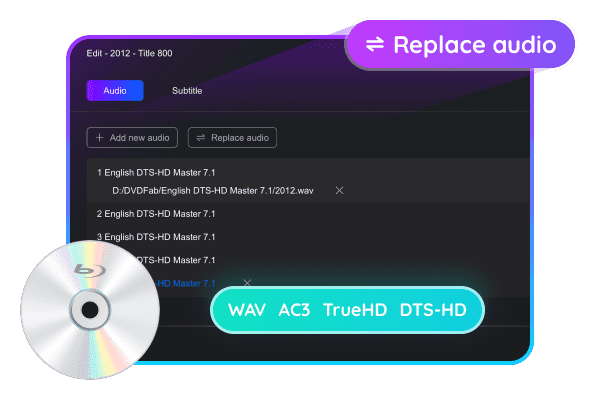
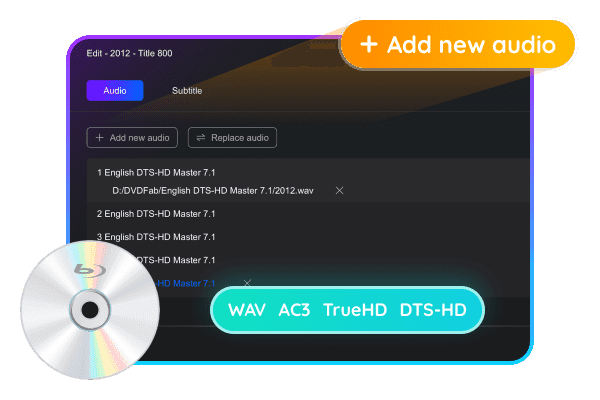
With DVDFab Blu-ray After Editor, you can easily add external audio tracks in various languages to your Blu-ray. This powerful tool supports all standard Blu-ray audio formats, including WAV, DTS-HD, AC3, DTS, and PCM, allowing you to personalize your viewing experience.
And with the ability to set an audio delay, you can ensure perfect synchronization for a seamless audiovisual experience. Expand your Blu-ray collection with this Blu-ray editor and enjoy your favorite movies in the language of your choice.
Improve the audio quality of your Blu-ray
You can enjoy crystal-clear sound and immersive sound effects by replacing high-quality audio sources with the original.
In addition to automatically resolving audio codecs and channels, this DIY tool also allows you to adjust the audio delay in milliseconds. Whether adding Hi-Fi audio or replacing outdated audio tracks, DVDFab Blu-ray After Editor delivers excellent audio quality.
Add external SUP or ASS subtitles
DVDFab Blu-ray After Editor allows you to add new external subtitles to your Blu-ray content, including SUP and ASS subtitles.
The path and language for adding subtitles are clearly displayed. Furthermore, the default subtitle delay is set to 0 to allow for instant synchronization, but you can easily adjust it to meet your specific needs.
Seamless subtitle replacement and synchronization
Blu-ray After Editor lets you easily replace the original subtitles on your Blu-ray discs with your favorite subtitles. This DIY tool lets you add new subtitles and set a precise delay to ensure perfect synchronization with the video.
Whether you want to add high-quality subtitles or translations, DVDFab Blu-ray After Editor makes it easy and effective.
Enjoy lossless audio and video output
You can edit subtitles and audio on Blu-ray without any quality loss, as this Blu-ray DIY tool outputs the original audio and video files at high speed.
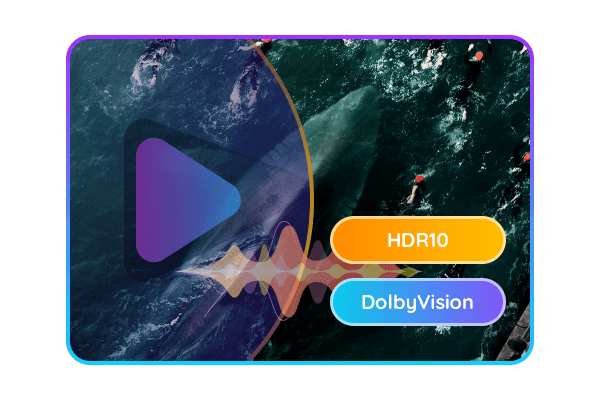
DVDFab Blu-ray After Editor ensures your Blu-ray disc retains Dolby Vision and HDR10 video quality. This innovative solution lets you personalize your Blu-ray experience without sacrificing stunning picture and sound quality.
How to create Blu-ray with DVDFab Blu-ray After Editor?
Step 1
Launch DVDFab Blu-ray After Editor and load the source file.
Download DVDFab from the official website and launch it. In the Utilities section on the homepage, you’ll see Blu-ray/UHD After Editor. Click it and load the Blu-ray file using the “+” button or drag the source file into the interface.
Step 2
Adding or replacing audio tracks/subtitles
After loading the source, all Blu-ray titles will be listed on the main interface. Click the “Edit” icon next to the title you want to edit. Select the “Audio” or “Subtitle” tab, where you can add or replace external audio/subtitle tracks. In the “Settings” section, you can specify the language and delay time of the newly added audio/subtitle tracks.
Step 3
Start the re-registration process
Click the “Start” button to begin the Blu-ray DIY process. You can cancel the process at any time.


Reviews
There are no reviews yet.