

Description
Convert PDF documents into various image and document formats without limits
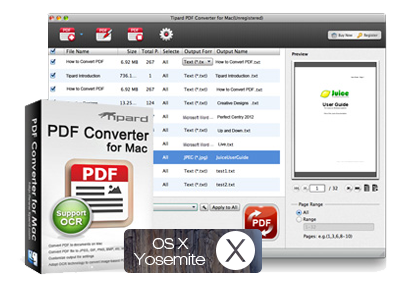
In your daily work with PDF documents in the office, at university, or in business, you are sure to be confronted with a wide variety of PDF documents. These PDF documents are often simply scanned copies or they are protected PDF documents that cannot be further processed or can only be copied in excerpts. These documents are often in multiple languages and cannot simply be entered into a translator to translate them. This is where Tipard Mac PDF Converter for Mac comes in: Convert all types of PDFs, and even scanned or protected documents, into MS Word or other formats in just a few clicks, so you can then conveniently process them further.
With the powerful PDF Converter for Mac, it is a breeze to translate texts into the desired language. You can also convert your PDFs into various image and document formats, such as JPG, PNG, BMP, Microsoft Word, Text Rich Format, EPUB, HTML, etc., while preserving the original layout and graphics. Tipard PDF Converter for Mac makes your daily work with PDF documents easier!
Convert scanned PDF documents with OCR text recognition!
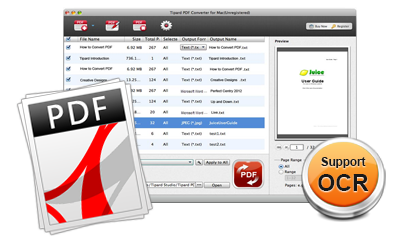
Our all-in-one PDF converter uses one of the best OCR technologies on the market. This enables the conversion of scanned or image PDF documents with unparalleled precision. You can choose from three conversion modes: “Accuracy, Balance, and Speed,” depending on your needs. In addition to the optional conversion modes, there is support for various languages. You’ll fall in love with the PDF Converter for Mac by now. It can output in a wide variety of languages and translate documents with ease – yours is sure to be included!
Various output settings
To achieve even better PDF files, our PDF converter is equipped with extensive options and parameters for customization. For example, when converting your PDF documents to images, you can set parameters such as image size and color, thus customizing the output layout, text encoding, and image format/resolution to your liking! Simply put, PDF Converter for Mac fulfills all your PDF management wishes and dreams and optimizes your daily PDF workflow!
User-friendly features
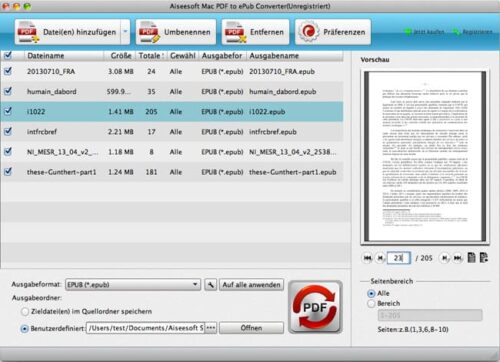
In addition to its unparalleled conversion capabilities, Tipard Mac PDF Converter for Mac is extremely easy to use. Even if you have no computer skills, you can convert PDFs in just a few clicks. The built-in player lets you preview individual PDF pages, giving you a complete overview at all times. With just a few clicks, you can select and convert specific sections of PDF documents. You then convert only the required sections of the PDF, not the entire document. This saves time and makes working with your PDF documents easier.
Additional features
Batch processing
Convert a large number of PDFs into different formats at once. Save your valuable time!
Determine the destination of the files
Save the converted files either in the source folder or in a folder of your choice.
Automatic update
As soon as your Mac is connected to the Internet, the software will immediately download all available updates – if any exist.


Reviews
There are no reviews yet.