


Description
Remove all types of lock screens
Unlock your iPhone/iPad/iPod touch lock screen in various situations. Dr.Fone is fully compatible with all types of lock screens, such as Apple ID, Face ID, Touch ID, Screen Time Passcode, and more, and can remove them in minutes.
4-digit passcode
6-digit passcode
Touch ID
Facial recognition
Screen Time Passcode
Bypass iCloud Activation Lock
If you forget your iCloud password after restoring a device, you won’t be able to access your iPhone anymore. With Dr.Fone, you can easily remove the iCloud activation lock and access your iOS device without any hassle.
Note: Please note that your iOS device must be jailbroken before bypassing iCloud Activation Lock.
For GSM mobile devices: After you bypass the iCloud activation lock, your iOS device can be used normally again.
For CDMA mobile devices: The difference is that you won’t be able to use the unlocked phone for the phone call, cellular, and iCloud features of your new Apple ID.
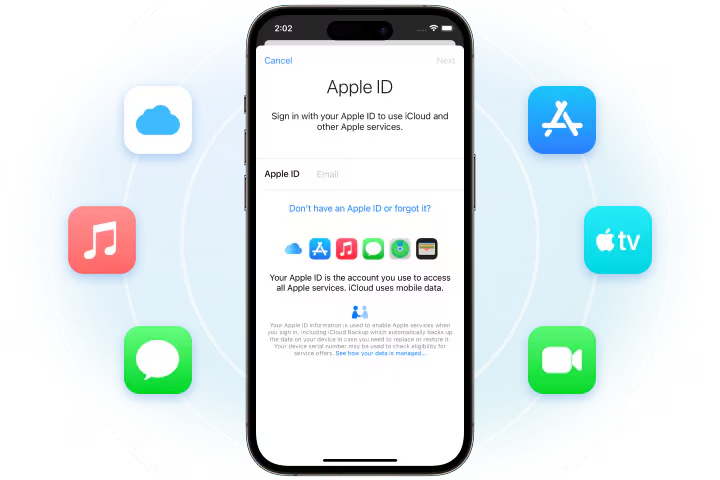
Unlock Apple ID
Forgot your Apple ID password? Failed to delete your Apple ID account? Dr.Fone can unlock your iPhone in seconds. Restore all your iCloud services and Apple ID features by signing in to a new account.
This feature also works when “Fide My Phone” is activated.
Remove MDM/Bypass MDM
With Dr.Fone’s Remove MDM feature, you won’t lose any data after removing the MDM. If you forget your iPhone/iPad MDM username and password, Dr.Fone can bypass the MDM, allowing you to easily access the device.
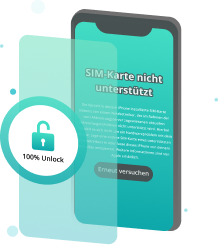
Remove SIM lock/Unlock iPhone carrier
If you travel abroad or replace your SIM card and restart, your iPhone may become locked. Dr.Fone – Screen Unlock (iOS) allows you to fix SIM issues in many common scenarios, such as “SIM Not Support,” “SIM Not Valid,” “SIM Locked,” or “No Network Serves.” It also helps you quickly unlock your iPhone for international use on various networks like AT&T, Sprint, T-Mobile, Verizon, and more, without losing any data.
Note: Removing the SIM lock requires jailbreaking your iOS device. Please consider jailbreaking your device.
Remove iTunes backup entry
If you can’t remember the password for your encrypted backup, you won’t be able to disable backup encryption or create new encrypted backups in Finder or iTunes. So, you may not even be able to backup, restore, transfer, or delete your phone data normally. But don’t worry, Dr.Fone can solve all your problems by removing the backup encryption setting without damaging your data.
Bypass iPhone/iPad/iPod touch activation lock in seconds
Dr.Fone safely removes your iPhone’s lock screen, activation lock, and more, helping you regain full access to your iPhone.
Please note that this process will erase the data on your iOS device.
Select unlocking module
Launch Dr.Fone, click Screen Unlock>Bypass Screen Lock and connect your iOS device.
Jailbreak your iOS device
Confirm that your iPhone, iPad, or iPod touch has completed the jailbreak and click the Unlock Now button.
Successfully unlock
Check your iOS device and it will no longer be locked.
Technical data
processor
1 GHz or faster processor (Intel or AMD)
R.A.M.
2 GB or more RAM
Hard disk storage
200 MB of free hard disk space
iOS
Enable bypass lock: Compatible with iPhone 5S to iPhone X, iPad 4 to iPad 7 and iPod touch 7 to iPod touch 9 with iOS 12.0 to iOS 16.3.
Unlock SIM: Compatible with iPhone 5S to iPhone X with iOS 12.0 to iOS 14.8.1.
Other unlock functions: Compatible with all iOS versions from iOS 7.0.
computer operating system
Requires Windows 7 or later
Requires Mac OS X 10.8 and later



Reviews
There are no reviews yet.