

Description
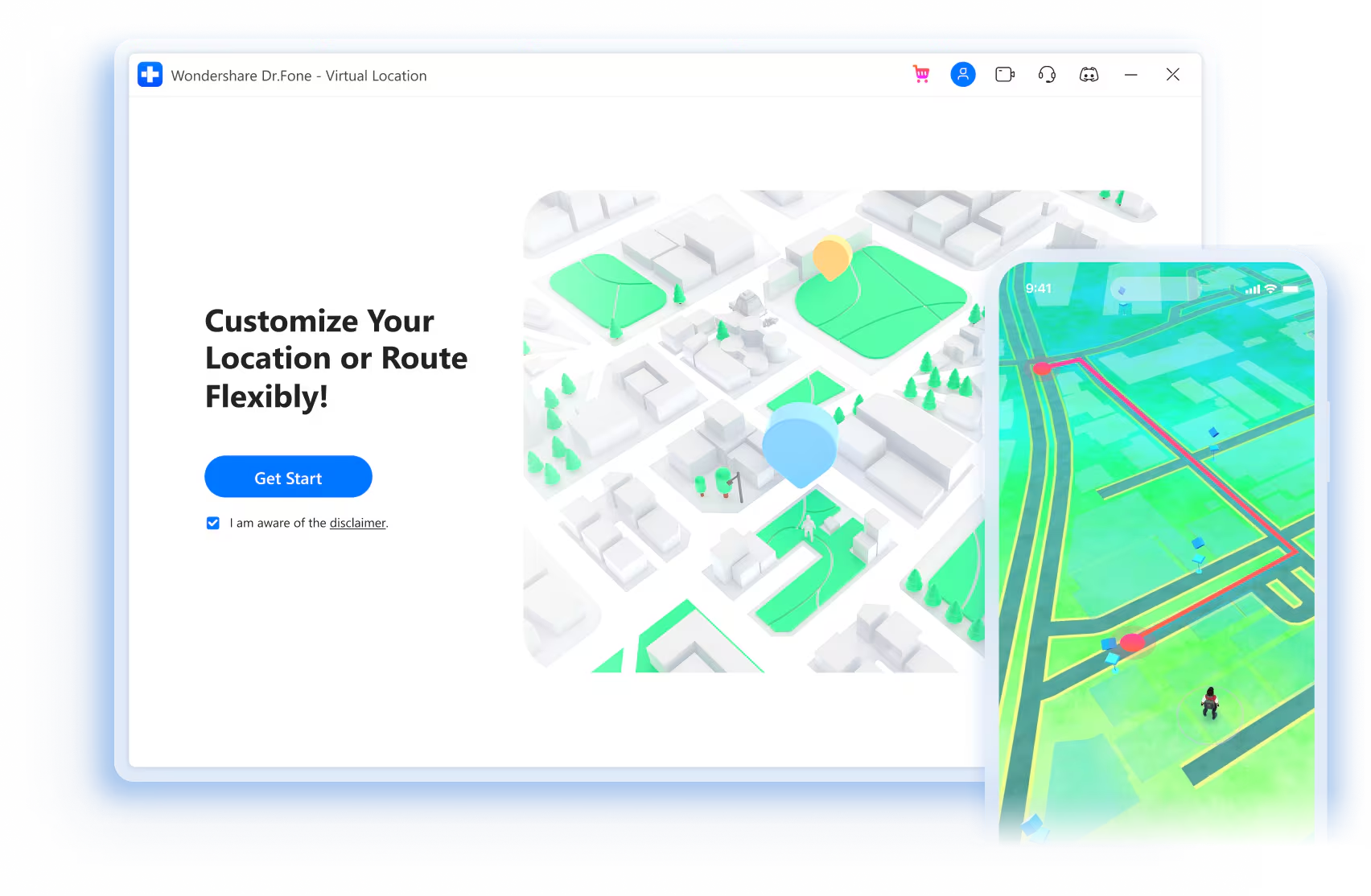
Play geolocated games without leaving home
With this incredible location changer, you can now play popular location-based AR games like Pokémon GO and hatch eggs
without having to move or walk!
Choose the type of mode according to your needs. Stay active and enjoy your game!
One-stop route
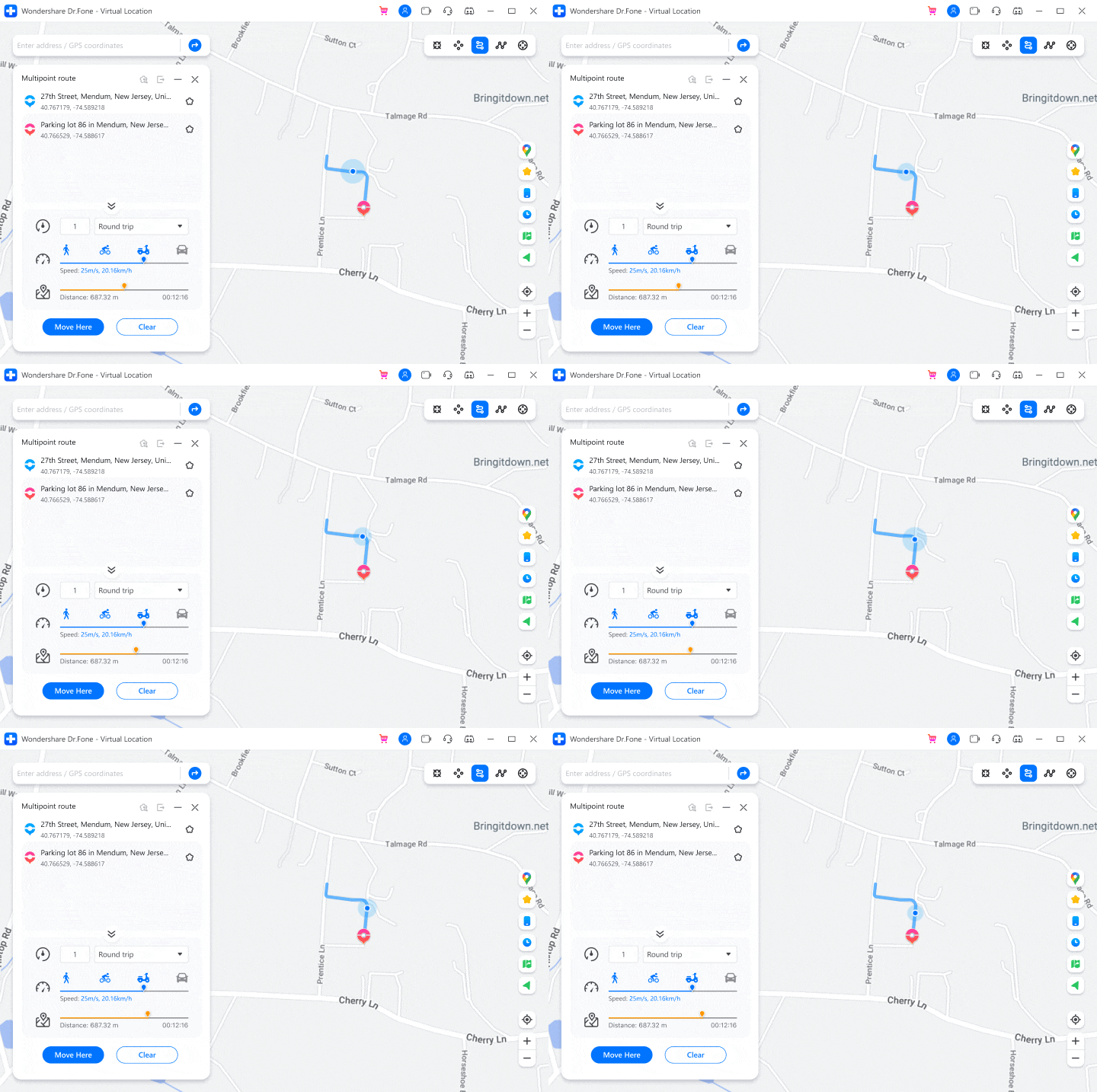
Multi-stop route
Teleportation mode
* The GPS then moves according to the real, automatically generated route to help players with various tasks.
Fake GPS location on iOS and Android with one click
Hide location on iOS and Android
Some apps today allow almost anyone to determine their location, which is dangerous for cell phone users. This GPS location changer can spoof your location anywhere to protect your privacy from tracking.
Misusing location in social applications
Pretend to “travel” anywhere you’ve never been before, allowing you to travel the world without leaving your home. You can also share virtual locations and play pranks on your friends on social platforms like WhatsApp/Instagram.
Simulate your location in dating apps
Get more likes and matches from other regions on dating apps by changing your location on Tinder, Bumble, Hinge and other dating apps.
Bypass geoblocking/geo-restrictions
Fake your location on iOS and Android devices to bypass regional restrictions and access geo-restricted content and services such as games, social apps, location sharing apps (life360), etc.
Location theft in the most popular apps for iOS and Android
For Android users
iOS devices apply, including but not limited to:
The virtual location can meet the needs of iOS users such as games, social media, etc. and is simple and effective, without jailbreak.
Games
Pokémon GO
Minecraft Earth
Ingress Prime
Jurassic World Alive
Wizards Unite
Geocaching
The Witcher: Monster Slayer
Pikmin Bloom
Walking Dead: Our World
Mobile Legends
Monster Hunter Now
Social
Snapchat
TikTok
Telegram
Spotify
iMessages
Bigo Live
Dating
Tinder
Bumble
Grindr
OkCupid
Zenly
Badoo
Match.com
Coffee Meets Bagel
Happn
Real-time tracking
Where is
Life360
navigation
Google Map
Gaode Map
Apple Map
Dummy GPS with joystick
Conventional emulators often cause games to crash. Players can better control the GPS direction of movement using a joystick or keyboard.
Benefit from the game’s perfect stability and play longer without worry!
Automatic movement
One click is all it takes to automatically move the GPS point. Directions can be changed in real time.
360-degree directions
360-degree setup guide. Move forward or backward by clicking the up or down arrows.
Keyboard control
Use the W, A, S and D keys on your keyboard or the Up, Down, Left and Right keys to control the GPS movements.
More features to discover
Dr.Fone – Virtual Location always strives to provide the best service to its customers so that they can have more fun.
Import/Export GPX File
Import/Export GPX files from different trails to save and view your favorite routes with just one click.
List of favorites
Manually collect your favorite places and routes so you can reach them with one click next time.
Historical dossiers
Automatically records and saves visited locations for easy re-selection and management.
Control multiple devices
Allows you to change the GPS location of up to five iOS devices simultaneously on a PC/Mac.
No jailbreak
You don’t need to jailbreak your iOS device for spoofing.
With adjusted speed
Move at various simulated speeds such as walking, cycling, driving, etc., from 3.6 km/h to 108 km/h.
Steps to use virtual localization
Step 1: Launch the program on your computer
Launch Dr.Fone, click Virtual Location and connect your phones or iPads.
Step 2: Connect your phone to the computer.
Select Wi-Fi/USB connection. iPhone users can connect the software after the initial Wi-Fi connection.
Step 3: Choose your GPS location change mode
You can find your current location on the map and choose where you want to go.
Technical data
CPU
1GHz (32-bit or 64-bit)
R.A.M.
256 MB or more RAM (1024 MB recommended)
Hard disk storage
200 MB or more free storage space
iOS/Android
iOS: iOS 5 and higher (including iOS 16)
Android Android 6.0 and higher (including Android 13)
Computer operating system
Windows: Win 11/10/8.1/8/7
Mac: Mac OS X 10.13 (High Sierra), 10.14 (macOS Mojave), 10.15 (macOS Catalina), 11 (macOS Big Sur), 12 (macOS Monterey) and newer (including macOS 13 Ventura)

Reviews
There are no reviews yet.