


Description
Transfer WhatsApp messages, media and stickers
Whether you’re switching to an iPhone or Android device, it helps you transfer all your chats by retrieving WhatsApp data from your old phone and then importing it directly to your new phone. It’s easy, secure, and only takes a few clicks within minutes.
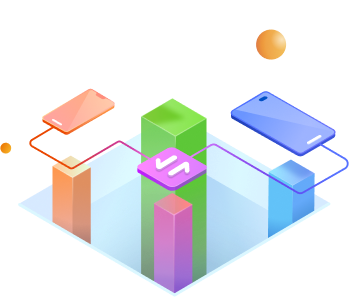
Selectively move data from phone to phone
Transfer various types of data for free, including photos, apps, songs, messages, videos, and more. You can also selectively choose the data to transfer by simply checking the boxes.
Back up your phone to a PC and restore backups
You can back up data from your phone to a Windows PC and Mac. You can also restore your backups later to the original or another phone.
Discover more features Google Drive to WhatsApp
With MobileTrans, you can restore WhatsApp backup directly from
Google Drive to your iPhone or Android phone.
iCloud to Phone
You can move iCloud contacts, photos, notes, calendars, and reminders to Android and iPhone using a different Apple ID.
Restore deleted WhatsApp
MobileTrans allows you to recover deleted WhatsApp messages on Android, including texts, photos, emojis, and stickers.
Viber Transfer
You can backup Viber to your computer and restore Viber messages to a new iPhone in just a few clicks.
WhatsApp Business Transfer
Transfer WhatsApp Business chat history across devices. Back up and restore the WhatsApp Business app to your computer.
GBWhatsApp Transfer
Switch from GBWhatsApp to WhatsApp without losing data. Don’t worry about transferring chats, starred messages, photos, videos, etc.
LINE Transfer
Make a backup of your LINE messages with attachments available. It also helps you restore LINE chat history without any hassle.
Kik Transfer
Your Kik message history, image files, and attachments are the main data types that MobileTrans can backup smoothly.
WeChat Transfer
Back up WeChat data to your computer and free up iPhone storage. You can also restore your chat history to your phone.
Data transfer between phone and PC
This allows you to transfer photos, videos, messages, music and apps directly between your phone and PC.
Back up WhatsApp data to PCs
Easily back up your phone to your PC or Mac, including contacts, photos, and other data types.
APP Transfer
You can batch install apps that run on your old Android phone onto your new phone.
Transfer music playlist
Transfer playlists between online streaming services, including Apple Music, Spotify, and more.
HEIC Converter
Convert multiple HEIC photos to JPG format at once while preserving image quality.
Manage your phone data and WhatsApp data without a computer
Wondershare MobileTrans App
In addition to transferring phone data and WhatsApp data between phones, it also allows you to transfer files between your phone and PC.
Wondershare Mustapper
The all-in-one tool for you to transfer WhatsApp and WhatsApp Business, read messages deleted by senders and much more.
Why choose Wondershare MobileTrans?
Most file formats are supported
MobileTrans helps transfer up to 18 types of data, including contacts, photos, messages, apps, music, notes, videos, and more. It offers the most comprehensive support so you can transfer everything you want.
Largest device coverage
It’s compatible with over 6,000 mobile devices and works on both Windows and Mac. Compared to Smart Switch, which requires Samsung to be the only target device, there are device limitations.
Best privacy protection
You are the only person who has access to the data on your devices. MobileTrans doesn’t store any data without user consent. It ensures your data remains safe and secure.

Reviews
There are no reviews yet.